Snagpad

Snagging reports you can actually send.

Record defects on site with as many photographs as it takes, mark them up on the spot, and produce a PDF small enough to email. It all works with no signal, because sites do not have one.

On the App Store. iPhone and iPad. €79.99 a year or €199 once. Free to try.

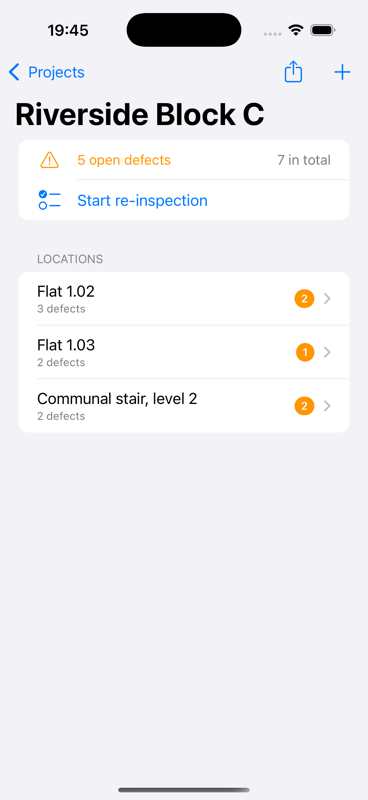
A Snagpad project showing three locations and five open defects

Built from what other apps get wrong

The things that keep costing you time

Every one of these comes from a complaint people leave, in public, about the snagging apps they already pay for.

📷

As many photos as it takes

Wide shot, close-up and the detail, all on one defect, all in the report. The best-known app on the store allows exactly one.

The loop actually closes

Go back, photograph the repair, record what was done. Before and after end up side by side in a completion report.

✉️

A PDF that fits in an email

Fifty defects and a hundred and fifty photographs come to about 7.5 MB. Choose Compact and it halves.

📵

No signal, no problem

Everything is stored on the device. Recording, annotating and exporting all work in a basement. Syncing waits its turn.

🌍

English, French, Spanish

In the trade's own words (réserves, repasos), and the report language is set per project, so you can work in one and deliver in another.

🔒

Your data, your iCloud

No account, no sign-up, no servers of ours. Projects sync through your own private iCloud, or not at all if you prefer.

The return visit

Two taps to close a defect, not six

Clearing a snag list normally means: open the project, open the location, find the defect, open it, change its status, attach a photo. With forty-seven to get through, wearing gloves, nobody does that twice.

  • Only what is still open, in the order you walk the building
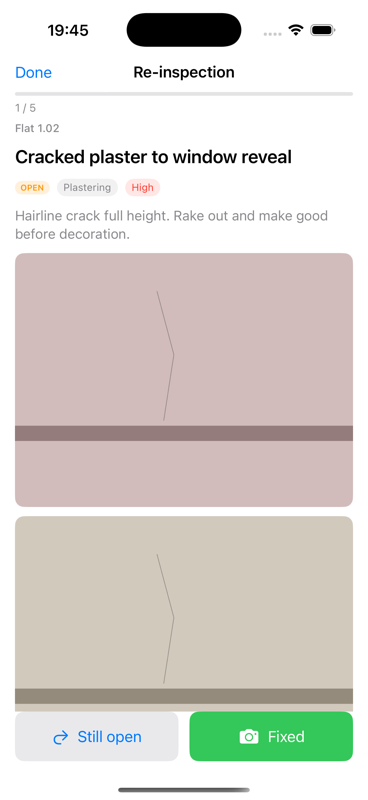
  • One defect per screen, photograph full width
  • Fixed goes straight to the camera
  • A running count, so you know what is left
The re-inspection screen showing one defect with its photograph and two large buttons

The deliverable

The document is the product

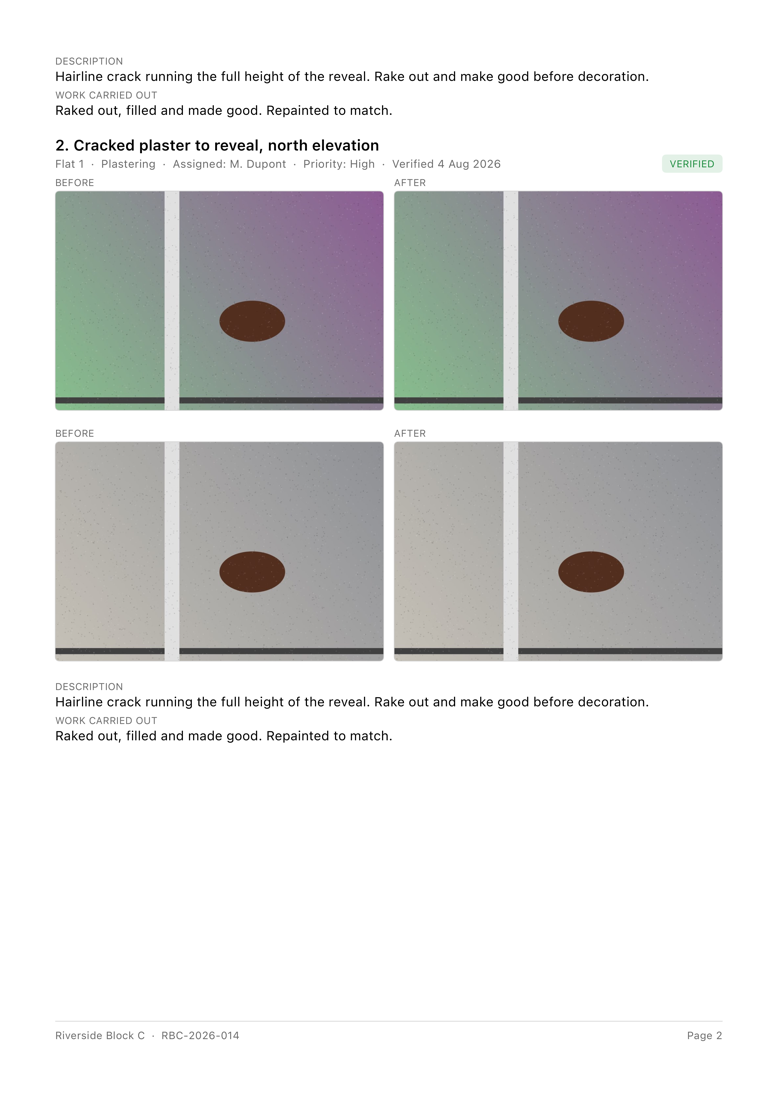
Everything else in the app exists to produce this file. Cover page with your client and reference, defects numbered and grouped by location or trade, and the photographs at a size people can actually see.

  • Defect list for the trades, completion report for the client
  • Before and after side by side, with what was done
  • Your logo on the cover
  • Preview every page before you send it
A page of a Snagpad completion report showing before and after photographs

One purchase, both devices

Built for the iPad too, not just stretched onto it

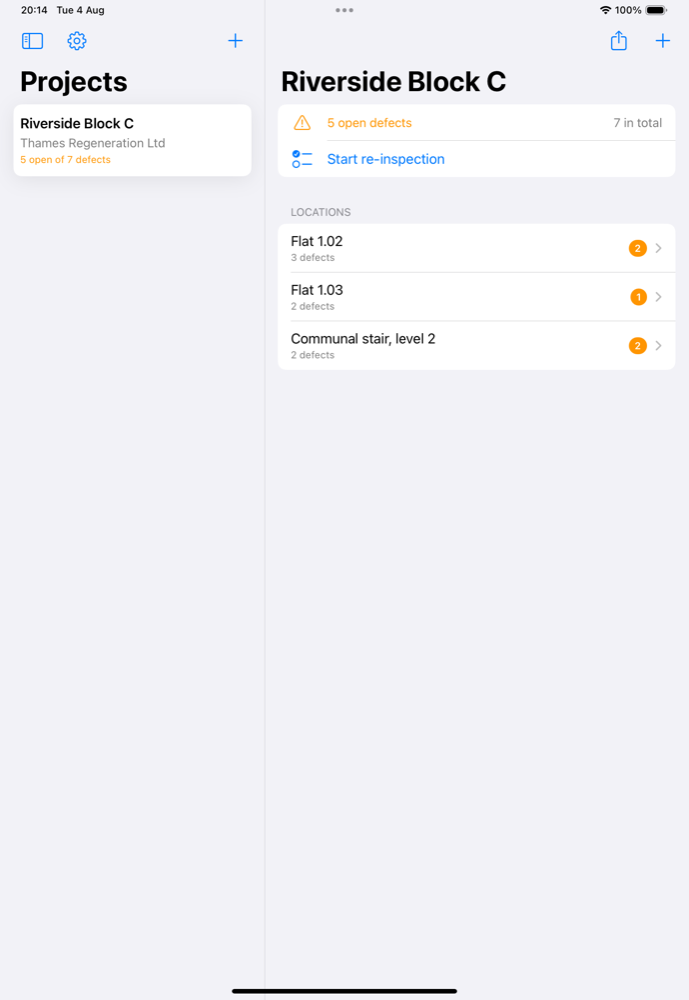
The iPhone is what you hold on a ladder. The iPad is what comes to the handover meeting, so it gets a proper two-column layout: projects down one side, the job on the other.

  • Projects and their work side by side
  • Landscape or portrait, sidebar always in reach
  • Annotate with a finger or an Apple Pencil
  • Buy once: it covers both devices
Snagpad on iPad, showing the project list beside the selected project's locations

Measured, not promised

The numbers behind the claims

7.5 MB
50 defects, 150 photos
3.7 MB
the same, in Compact
photos per defect
3
languages

Pricing

Two ways to pay. Both unlock everything.

Try it free first. Reports include the first five defects: a real, complete document, not a watermarked sample.

Yearly

€79.99 a year

Renews until you cancel. Cancel any time from your Apple Account.

  • Every defect in every report
  • Completion reports
  • iCloud sync across your devices
  • Every update, for as long as you subscribe
Start with the yearly plan

Same features either way. The choice is only how you would rather pay. Prices are shown in your own currency inside the app, and that figure is what you are charged. Full terms.

Your next handover, done properly.

Try it on your next inspection. Reports include the first five defects free, so you can see the document before you decide.

Get Snagpad